
The Symptom: Blue Sky, Bright Sun, Zero Power
It is the specific nightmare of every off-grid traveler. You have set up your campsite, the sky is perfectly clear, and the sun is blazing down on your expensive solar array. You plug the cable into your power station, expecting to see a flood of free energy.
Instead, the screen delivers the bad news: solar input 0 watts.
Maybe the icon blinks. Maybe the voltage reading flickers for a second before vanishing. Or maybe the display acts as if nothing is plugged in at all.
I have spent 15 years on the repair bench diagnosing portable power systems, from the early lead-acid Goal Zeros to the modern LiFePO4 beasts from EcoFlow and Bluetti. Here is the reality check: If you are seeing solar input 0 watts, it is rarely because your power station is broken. In 90% of the cases I diagnose, the issue lies in the “Handshake” between the panels and the MPPT (Maximum Power Point Tracking) controller.
The MPPT controller is the brain of your solar charging system. It is designed to be paranoid. If it detects solar input 0 watts conditions—like reverse polarity, dangerous over-voltage, or a loose pin—it will physically cut the circuit to save the motherboard from frying.
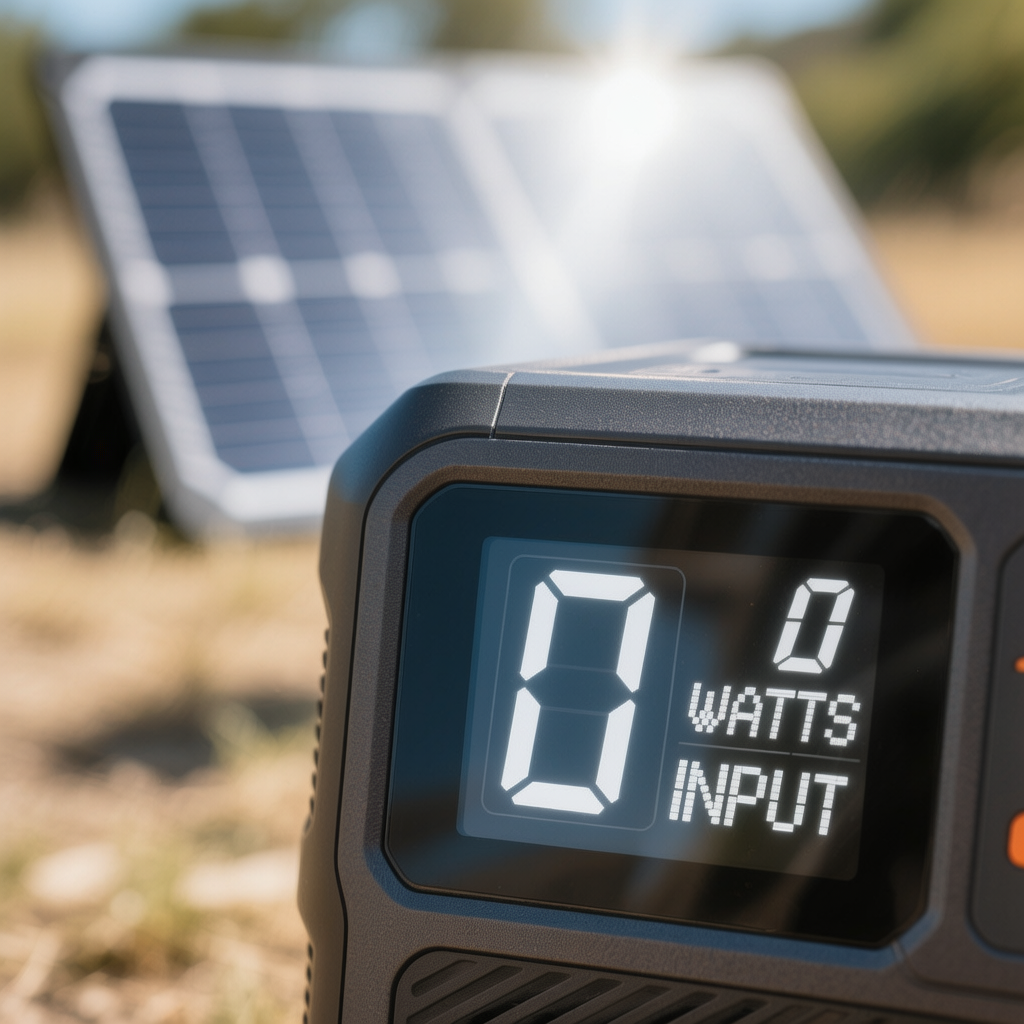
In this comprehensive repair guide, I am going to walk you through the 7 most common reasons for a solar input 0 watts reading and how to fix them using technician-grade methods.
Safety Warning: Solar panels generate electricity continuously when exposed to light. Even a small portable panel can generate 20V-40V. While this isn’t usually lethal, it can spark and cause burns. Large series arrays (residential or large van builds) can generate 100V+, which is lethal. Always disconnect panels from the unit before working on wiring, and cover panels with a blanket if you are re-crimping connectors.
Phase 1: The “Quick Triage” (Do This Before Getting Tools)
Before we break out the multimeter to diagnose the solar input 0 watts error, let’s rule out the simple mistakes. I have driven 2 hours to a client’s site only to find a loose plug. Don’t be that person.
1. The “Click” Check
Go to every MC4 connection (the plastic cylinder plugs on the solar cables). Push them together firmly. Did you hear a distinct click?
- The Issue: If you didn’t hear a click, the metal pins inside aren’t touching. A loose connection creates an “Open Circuit,” resulting in solar input 0 watts.
- The Fix: Push harder. The waterproof seal can be stiff on new cables.
2. The Input Port Selection
Many modern power stations have multiple inputs.
- The Issue: Are you plugged into the dedicated PV / Solar Input (often an Anderson, XT60, or yellow-ringed port), or are you trying to force it through a DC barrel jack meant for a wall charger?
- The Fix: Check your manual. If you plug a 20V panel into a 12V-only car charging port, the unit will block it, causing the solar input 0 watts display.
3. The Shadow Scan
Look at your panels. Is there a tree branch, a tent pole, or even a single leaf casting a shadow on one section of the panel?
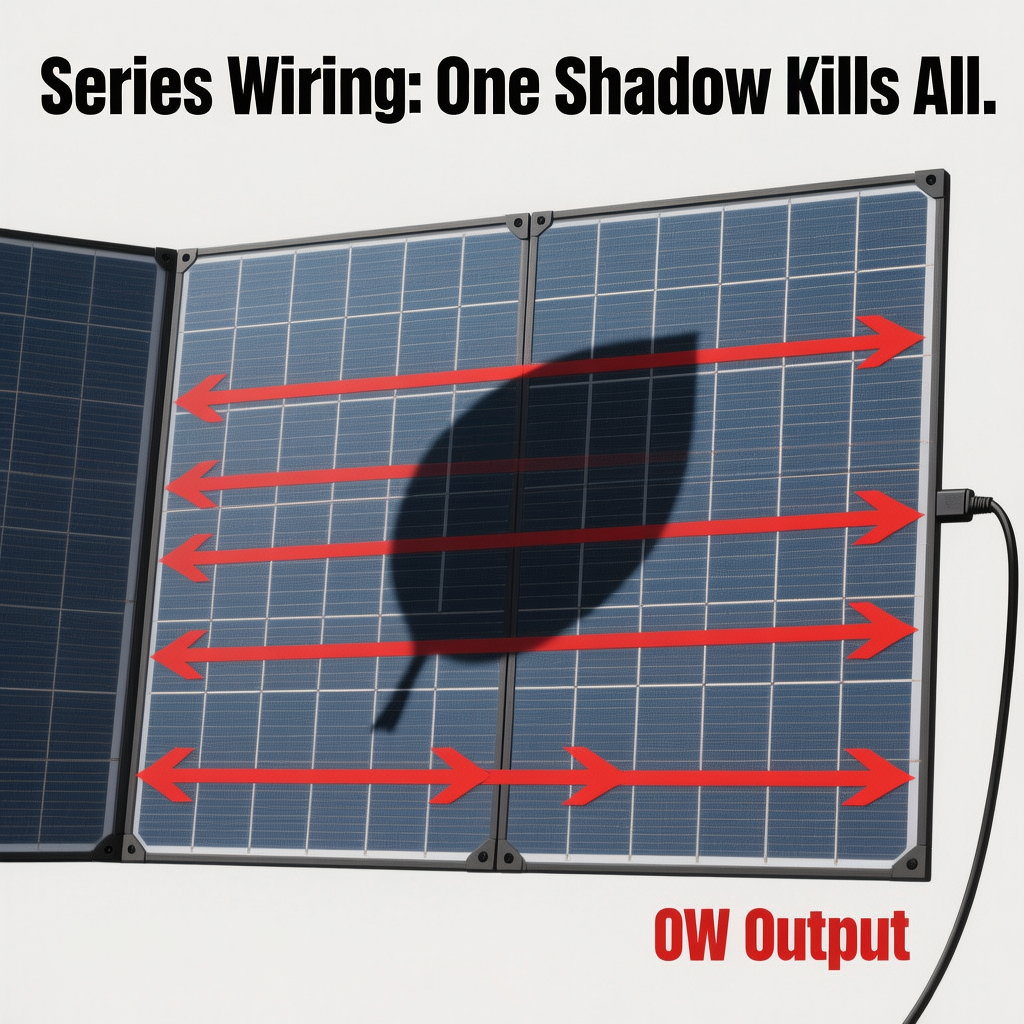
- The Physics: Solar cells are often wired in series. If one cell is shaded, it acts like a kink in a garden hose, blocking the flow for the entire string.
- The Result: A single hand-sized shadow can drop a 200W panel down to 10W or even trigger a solar input 0 watts cutoff if the voltage drops too low.
Phase 2: Deep Diagnosis (7 Causes for 0W Input)
If the basics check out and you are still seeing solar input 0 watts, we have a technical problem. Here are the 7 reasons I see most often in the shop.
Cause #1: Reverse Polarity (The #1 Off-Brand Issue)
This is the single most common reason for solar input 0 watts when mixing brands. Standard MC4 connectors have a “Male” and “Female” side. However, not all solar panel manufacturers follow the standard wiring convention regarding which side is Positive (+) and which is Negative (-).
- The Scenario: You bought a Jackery power station but decided to save money by buying a generic “100W Solar Panel” on Amazon.
- The Problem: The generic panel might have the Positive wire on the “Male” plug, while Jackery expects Positive on the “Female” plug.
- The Result: You plug it in, and you are feeding Negative current into the Positive terminal. The power station’s protection circuit instantly blocks the flow to prevent the motherboard from exploding. The screen reads solar input 0 watts.
How to Fix:
You need to verify polarity (see the Multimeter Section below). If it is reversed, you don’t need to return the panel. You simply need a Solar Polarity Reverse Adapter. This is a short cable that crosses the wires back to the correct orientation.
Cause #2: Open Circuit Voltage (Voc) Mismatch
Every portable power station has a strict Input Voltage Range. For example, a Bluetti EB3A might accept 12V-28V. A larger EcoFlow Delta might accept 11V-60V.
- The Over-Voltage Mistake: You connect two 24V panels in Series (plugging one panel into the next) to get a faster charge.
- The Math: Series connections add voltage. 24V + 24V = 48V.
- The Failure: If your station’s limit is 28V, the MPPT controller sees 48V and shuts the gate immediately. Result: solar input 0 watts. In worst-case scenarios, this blows the internal input fuse.
- The Under-Voltage Mistake: You are trying to charge a large unit (like a Delta Pro) with a tiny, single 60W panel on a cloudy day. The Start-Up Voltage for the MPPT might be 15V. If the panel is only pushing 11V, the controller won’t even wake up, leaving you with solar input 0 watts.
How to Fix:
Check the label on your power station (e.g., “PV Input: 12-60V”). Then check the label on the back of your solar panel for “Voc” (Voltage Open Circuit).
- If your Panel Voc > Station Max Input: You must wire panels in Parallel.
- Related Guide: Series vs parallel solar panels for portable systems
- Related Guide: Portable power station MPPT solar input
Cause #3: The “Input Adapter” Wiring Fault
Most portable power stations do not accept raw MC4 cables directly. You usually use an adapter cable, such as MC4 to XT60, MC4 to Anderson (APP), or MC4 to DC7909 (8mm).
- The Failure Point: These adapter cables are often cheaply made. The internal soldering where the wire meets the connector can break if the cable is yanked or bent at a sharp angle.
- The Symptom: If you wiggle the cable near the plug and the solar input 0 watts momentarily jumps to 50W and then dies again, you have a broken internal wire.
How to Fix:
Replace the adapter cable immediately. Do not try to tape it up. High resistance in a broken wire creates heat, which can melt the input port of your expensive battery.
Cause #4: Bad MC4 Connections (The Invisible Gap)
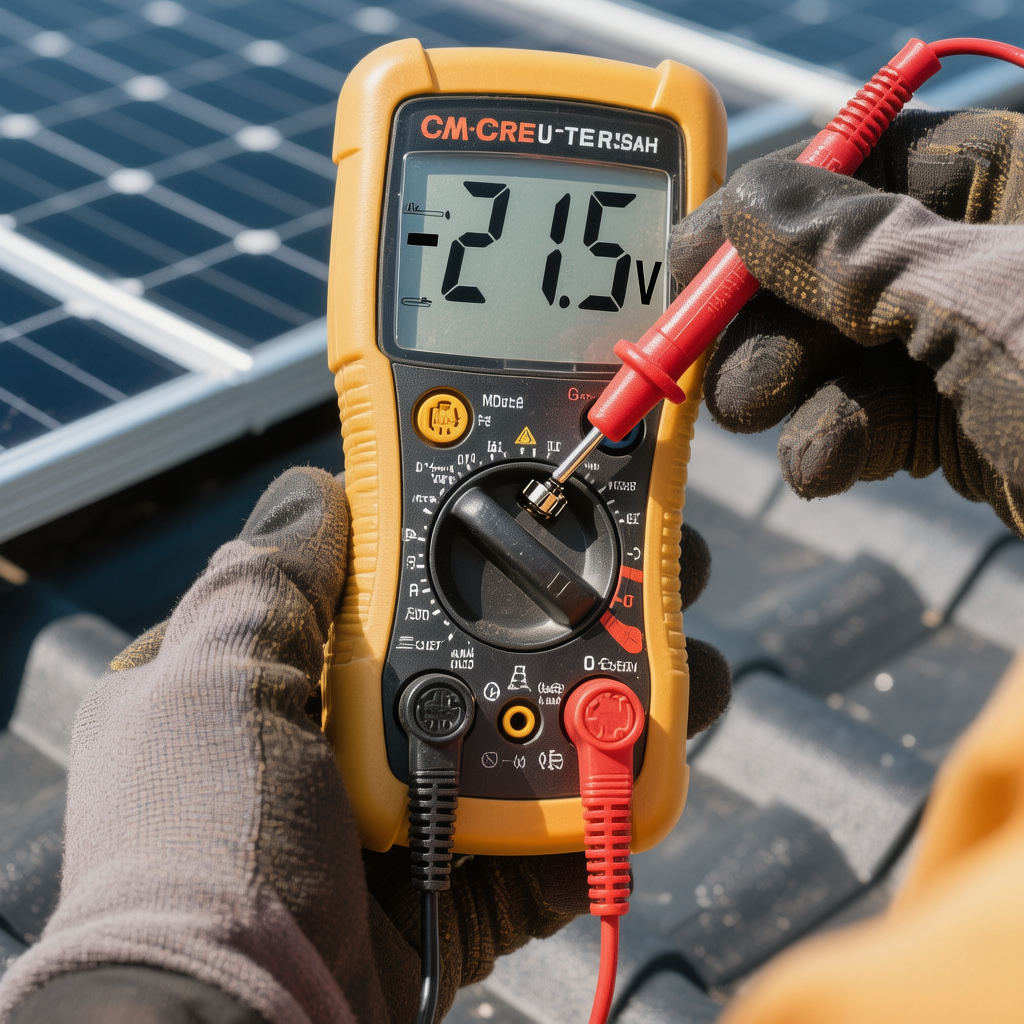
I have written extensively about this because it is so common. MC4 connectors are designed to be weather-tight, but they are finicky.
- The Problem: Sometimes the metal pin inside the plastic housing gets pushed back when you connect the plugs. It looks connected on the outside, but inside, the metal tips are 1mm apart. The electricity cannot jump the gap, causing a true Open Circuit and a solar input 0 watts reading.
- The Stuck Connector: Sometimes, corrosion or dirt jams the connector, preventing a solid lock.
- Related Guide: MC4 connector stuck
- Related Guide: How to crimp MC4 connectors
How to Fix:
Inspect the connectors. Look inside with a flashlight. Is the metal pin centered? If it looks pushed in, you may need to disassemble the connector and push the pin back into the locking position.
Cause #5: Thermal Throttling (Too Hot to Charge)
Solar charging generates heat. The sun heats the battery casing, and the chemical reaction of charging generates internal heat.
- The Limit: Most LiFePO4 and Li-ion batteries will stop accepting a charge if the internal temperature exceeds 113°F (45°C).
- The Situation: You left the power station sitting in the direct sun alongside the solar panels. The black plastic case absorbed the heat, pushing the internal temp to 120°F.
- The Result: The BMS cuts the input to prevent a fire. The screen displays solar input 0 watts or a “High Temp” icon.
How to Fix:
Move the power station into the shade of the panel or into a tent. Only the panels should be in the sun; the battery should be in the shade.
- Related Guide: Portable power station troubleshooting
Cause #6: The “Ghost” Voltage (High Resistance)
This is a tricky one that fools non-technicians. You measure the voltage with a multimeter, and it says “20V.” You plug it in, and the screen says solar input 0 watts. Why?
- The Physics: A digital multimeter has very high impedance (resistance). It can detect voltage even across a terrible connection (like a rusted wire). But the moment the MPPT controller tries to pull Current (Amps), the connection fails. The voltage collapses to 0V under load.
- The Cause: Usually a corroded fuse holder, a crimp that wasn’t squeezed tight enough, or a cable that has been pinched in a car door.
How to Fix:
Inspect every inch of your cable run. Feel for “soft spots” in the wire insulation which indicate internal breakage.
Cause #7: Software/Logic Lockout
Sometimes, the hardware is fine, but the software brain (the MPPT algorithm) has crashed or become confused. This happens frequently if the solar input fluctuates rapidly (like on a partly cloudy day with fast-moving shadows). The controller gets stuck in a loop and defaults to a solar input 0 watts safety mode.
How to Fix:
You need to force a reset (See the Master Reset Table below).
Phase 3: The Technician’s Tool (How to Use a Multimeter)
If you are serious about off-grid power, you need a Digital Multimeter. You can get a decent one for $20. This is the only way to “see” electricity and diagnose solar input 0 watts properly.
Test 1: Check Solar Panel Voltage (Voc)
- Disconnect the panel from the power station.
- Set your Multimeter to DC Volts (Look for the V with a straight line, or the 200V setting).
- Take the Red probe and touch the metal pin inside the “Female” MC4 connector (this should be Positive).
- Take the Black probe and touch the metal pin inside the “Male” MC4 connector (this should be Negative).
- Reading:
- 0V: The panel is dead, or there is a break in the wire.
- 18V – 24V (approx): The panel is healthy and generating power.
- -18V (Negative): REVERSE POLARITY! You have found your problem. You are plugging negative into positive, causing the solar input 0 watts.
Test 2: Check the Adapter Cable
- Plug the adapter (e.g., MC4 to Anderson) into the solar panel.
- Touch the multimeter probes to the contacts inside the Anderson/XT60 plug at the end of the cable.
- Reading:
- It should match the panel voltage.
- If you had voltage at the panel, but 0V at the end of the adapter cable, the adapter cable is broken.
External Resource: Fluke Multimeter Basics
Phase 4: The “Master Reset” Table
If your multimeter shows good voltage and correct polarity, but the screen still shows solar input 0 watts, the power station’s logic board is likely frozen. Use these combinations to reboot the BMS.
(Note: Unplug all solar panels and AC chargers before resetting.)
| Brand | System | The Hard Reset Combination |
|---|---|---|
| EcoFlow | Delta / River | 1. Turn unit ON. 2. Hold Power Button for 10s until it forces a shutdown. 3. Leave off for 30 mins. 4. If available, press the pinhole IOT Reset button. |
| Bluetti | EB / AC Series | 1. Turn OFF. 2. Hold AC + DC buttons simultaneously for 5s to enter menu. 3. Toggle “ECO” mode on/off to force a save/reboot. |
| Jackery | Explorer | 1. Hold the Display button for 10 seconds (Screen will flash). 2. Alternatively, hold Power for 7 seconds to soft reset. |
| Anker | PowerHouse | Find the tiny Reset hole (usually near the DC input or USB ports). Insert a paperclip and press once. |
| Goal Zero | Yeti | Hold the Units and Info buttons for 10 seconds to reset the logic board. |
Phase 5: Brand-Specific Solar Quirks
While solar input 0 watts is a universal problem, each brand has its own specific flavor of failure.
Jackery (Explorer Series)
- The 8mm Port Issue: Jackery uses the DC7909 (8mm) barrel port. This port is notorious for loosening over time. If you get solar input 0 watts but it works when you hold the cable at an angle, the internal solder joint is cracked.
- Proprietary Pinout: Some older Jackery panels use a proprietary pinout on the 8mm connector. Using a generic “8mm to MC4” adapter often fails because the center pin depth is slightly different.
EcoFlow (Delta & River)
- The XT60i Sensor: EcoFlow uses a special orange connector called “XT60i.” It has a third metal pin in the middle that tells the unit if it is charging from Car (8A limit) or Solar (Unlimited). If you use a cheap, generic XT60 cable (without the “i”), the unit might think it’s a car charger and limit the current, or sometimes show solar input 0 watts if the negotiation fails.
- High Start-Up Voltage: The larger Delta units need substantial voltage to wake up. A single small panel might not cut it.
Bluetti (EB & AC)
- Strict Voltage Limits: Bluetti’s OVP (Over Voltage Protection) is extremely fast. If your panel’s Voc is 28.1V and the unit’s limit is 28.0V, it will persistently show solar input 0 watts. You absolutely cannot exceed the spec on these units.
Phase 6: When to Call Support (Hardware Failure)
If you have verified the panel has voltage, the polarity is correct, the cables are good, and the reset didn’t work—you are looking at an internal hardware failure causing the solar input 0 watts.
Specific Signs of MPPT Failure:
- The “Ozone” Smell: Sniff the input port. If it smells like electric trains, ozone, or burning plastic, the MPPT controller has burned out.
- The Input Port Wiggle: If the port physically moves inside the case, the solder joints have snapped off the motherboard.
- Error Codes: Codes like E002 (MPPT Fault) or Overload (when nothing is plugged in) indicate dead internal components.
At this point, you need to file a warranty claim. Do not open the unit; there are no user-serviceable parts inside the MPPT module.
- Related Guide: Portable power station not charging solar
FAQ: Questions From the Field
Q: My solar panel is rated for 100W, but I’m only getting 0W or very low watts. Why?
A: “Rated” watts are lab conditions. In the real world, angle, temperature, and atmospheric dust reduce output. However, solar input 0 watts usually means a connection break. If you see 5W or 10W, check for shadows. Even a tiny shadow on one corner of a foldable panel can kill the entire output because of how the cells are wired in series.
Q: Can I use a different brand of solar panel with my power station?
A: Yes, absolutely. As long as the Open Circuit Voltage (Voc) of the panel is within the Input Range of the power station, and you have the right adapter plug, it will work. The brand sticker doesn’t matter; electrons are electrons.
- Related Guide: What does MPPT mean on a solar controller?
Q: Why does my solar input show 0 watts when the battery is at 99%?
A: This is normal behavior. The BMS slows down charging (CV – Constant Voltage mode) as the battery gets full to balance the cells. At 99% or 100%, it might stop input entirely to prevent overcharging.
Q: I extended my solar cable by 50 feet, and now I get 0W.
A: You likely have Voltage Drop. DC power struggles to travel long distances over thin wires. If the voltage drops below the MPPT minimum “Wake Up” threshold by the time it reaches the unit, it won’t charge. You need thicker cables (10AWG) for long runs.
Q: Can I charge via solar and use the AC outlets at the same time?
A: Yes, this is called Pass-Through Charging. However, if your output load (e.g., a fridge) is higher than your solar input, the battery will eventually drain to 0% and you will see the solar input 0 watts persist because the battery is dead.
Conclusion
Seeing solar input 0 watts is a panic-inducing moment, but it is rarely fatal for your equipment. It is almost always a “handshake” issue between the panel and the power station.
By systematically checking for Reverse Polarity, ensuring your Voltage is within limits, and inspecting your MC4 connections for physical contact, you can solve 90% of these issues in the field. Remember: The BMS is designed to protect the battery. If it sees solar input 0 watts, it’s often because the BMS is doing its job and blocking an unsafe connection.
Grab your multimeter, follow the triage steps, and get that power flowing again.
For more deep dives into solar tech, read our guide on portable power station specs explained or check out how to crimp MC4 connectors if you need to build custom cables.