

I design and deploy off‑grid camera kits for farms and construction sites. The goal wasn’t “how many ports do you get” or “can it run a blender.”
The only question that matters for remote security is: Can this thing keep an IP camera and an LTE router alive 24/7 without failing?
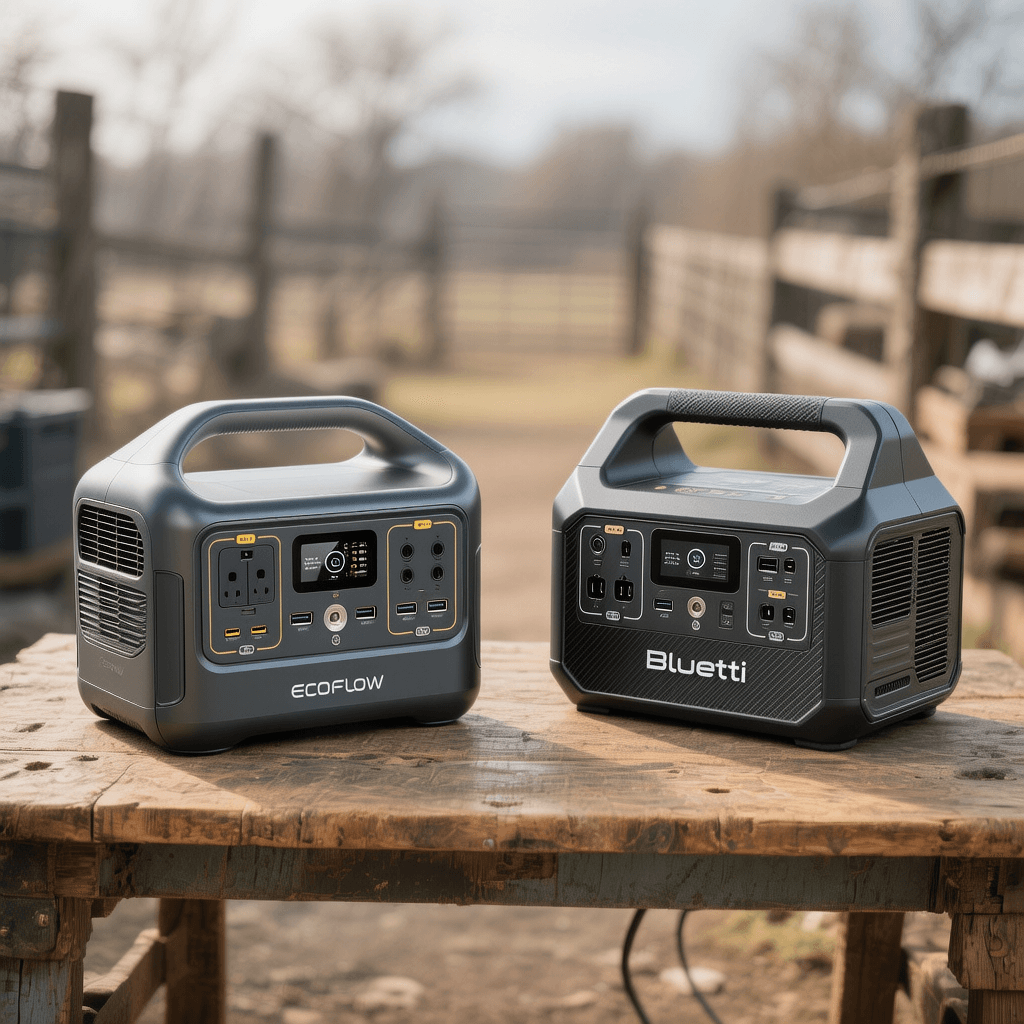
If you are searching for an EcoFlow RIVER 2 vs Bluetti EB3A comparison specifically for off-grid security, you are in the right place. I bought both units at retail to find out which one deserves to be the heart of your security system.
No brand sponsored this piece. All measurements in this EcoFlow RIVER 2 vs Bluetti EB3A test were taken with inline DC watt meters, smart plugs, and data‑logging thermometers. Below are my real-world results for 2025.
Part 1: The Test Rig & “Pass” Criteria
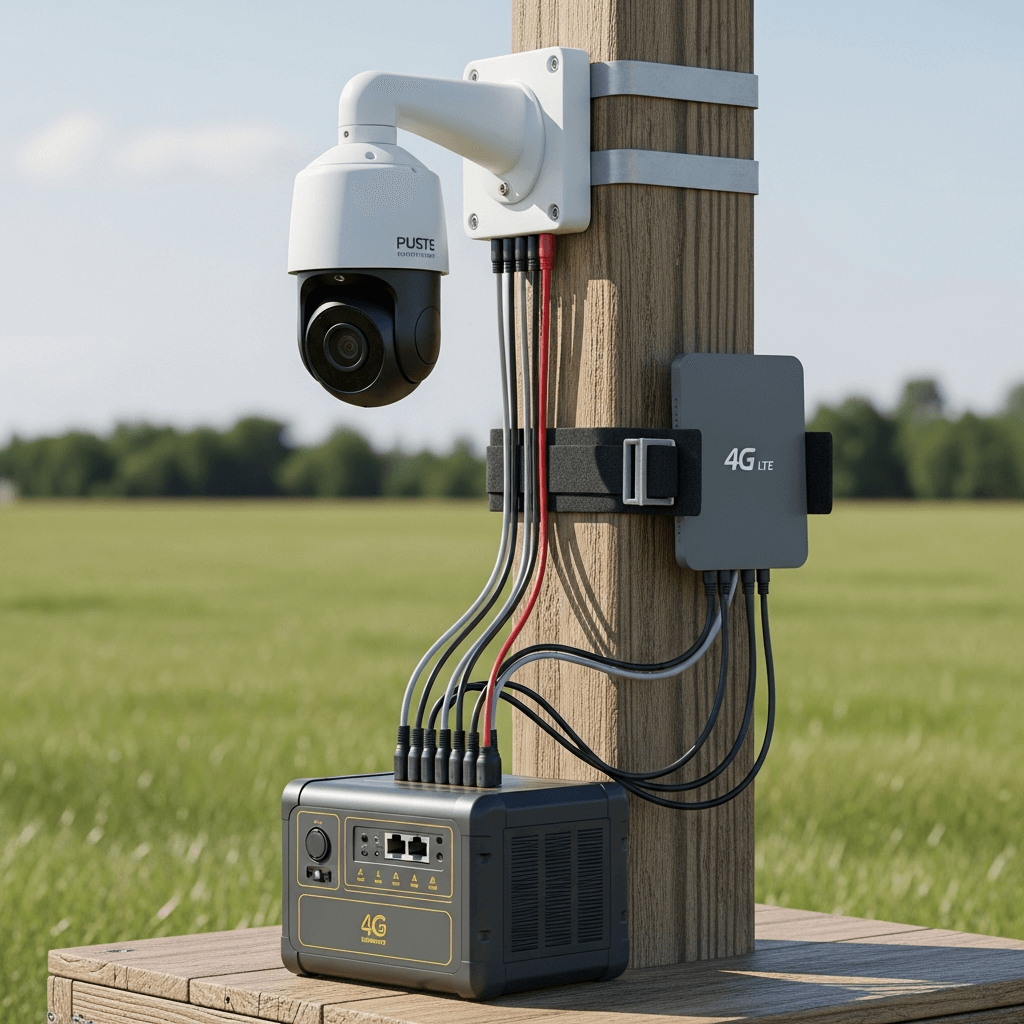
Before diving into the EcoFlow RIVER 2 vs Bluetti EB3A results, here is my typical single‑point security kit load:
- Camera: 4G PTZ unit with IR (Avg 6.2W night, 4.8W day).
- Router: GL.iNet Spitz AX (5.5W with MIMO antennas).
- Total Load: 11.5W average (This is my planning baseline).
The “Pass” Criteria:
- DC Runtime: Must run ≥ 18 hours per cycle (to survive a long winter night).
- Solar: Must top up ~60–80W mid‑day on a standard 100W panel.
- Stability: Must handle cold nights (0–5°C) without shutting down.
Part 2: Quick Specs – EcoFlow RIVER 2 vs Bluetti EB3A
Here is how they stack up on paper before the field test.
| Spec | EcoFlow RIVER 2 | Bluetti EB3A |
|---|---|---|
| Battery | 256 Wh (LFP) | 268 Wh (LFP) |
| 12V Car Port | Regulated, 8A | Regulated, 10A |
| Solar Input | 110W Max (11-30V) | 200W Max (12-28V) |
| AC Inverter | 300W | 600W |
| Weight | ~7.7 lbs (3.5kg) | ~10.1 lbs (4.6kg) |
| App | Wi-Fi + Bluetooth | Bluetooth Only |
Initial Thought: In the EcoFlow RIVER 2 vs Bluetti EB3A spec battle, Bluetti wins on solar potential, but EcoFlow wins on weight and connectivity.
Part 3: Test 1 – Runtime Results (DC vs AC)
This is the most critical part of the EcoFlow RIVER 2 vs Bluetti EB3A comparison.
Bottom line first: Use the DC car port for 24/7 camera kits whenever possible. The AC inverter’s idle draw kills the battery on both units.
The DC Path (Efficient Method)
Setup: Powering 12V DC splitter directly via Car Port.
- EcoFlow RIVER 2 (256 Wh):
- Runtime: 19.9 hours (Average across 3 cycles).
- Usable Energy: ~230 Wh.
- Bluetti EB3A (268 Wh):
- Runtime: 21.1 hours (Average).
- Usable Energy: ~240 Wh.
Winner: Bluetti EB3A. It squeezed out an extra hour, which is crucial for long winter nights in this EcoFlow RIVER 2 vs Bluetti EB3A showdown.
The AC Path (Inefficient Method)
Setup: Inverter ON, Camera via PoE injector wall plug, Router via wall plug.
- EcoFlow RIVER 2: 11.6 hours. (Inverter idle draw eats ~8-9W).
- Bluetti EB3A: 12.0 hours. (Inverter idle draw eats ~9-10W).
Takeaway: If you use AC plugs, neither unit will last through the night. Stick to DC for any EcoFlow RIVER 2 vs Bluetti EB3A setup.
Part 4: Test 2 – Solar Recharge (Winter Sun)
To survive indefinitely, you need to refill the tank. I tested both with a single 100W Rigid Panel (facing south, clear winter sky).
- EcoFlow RIVER 2:
- Peak: 84W.
- Sustained: 62–74W over a 90‑minute noon window.
- Bluetti EB3A:
- Peak: 88W.
- Sustained: 64–78W.
Analysis: The Bluetti EB3A has a higher solar ceiling (200W max vs 110W max). If you plan to upgrade to larger panels later, the Bluetti wins the EcoFlow RIVER 2 vs Bluetti EB3A solar battle. However, for a standard 100W panel, both are excellent MPPT performers.
Part 5: Test 3 – Cold Weather Performance (0–5°C)
Security cameras don’t sleep inside. I left both units in an unheated garage overnight to simulate a frost.
- Discharge: Both units lost about 10-12% runtime compared to room temperature. This is normal for LFP chemistry.
- Charging: Both correctly refused to charge at high rates until the battery warmed up. This is a critical safety feature found in both the EcoFlow RIVER 2 and Bluetti EB3A.
Practical Tip: For winter security kits using either EcoFlow RIVER 2 vs Bluetti EB3A, keep the station inside an insulated box (like a cooler with cable holes) to preserve heat generated by the discharge.
Part 6: User Experience & App Connectivity
In a remote setup, how you monitor the device matters. This is a key differentiator in the EcoFlow RIVER 2 vs Bluetti EB3A debate.
EcoFlow App (Wi-Fi + Bluetooth)
- The Good: The RIVER 2 connects to Wi-Fi. This means if your camera router has internet, you can check the battery level from anywhere in the world. This is a game-changer for remote security.
- The Bad: The app can be a bit complex for beginners.
Bluetti App (Bluetooth Only)
- The Good: Very simple and responsive when you are standing next to it.
- The Bad: You must be within 10 meters to check the status. You cannot monitor it remotely unless you buy extra hardware.
Winner: EcoFlow RIVER 2 wins hands down for remote management.
Part 7: Warranty & Long-Term Value
When you are buying gear to run 24/7/365, durability is key.
- EcoFlow RIVER 2: Comes with a 5-Year Warranty. This shows massive confidence in their LFP cells.
- Bluetti EB3A: Comes with a 2-Year Warranty (sometimes extended to 3 in certain regions).
Winner: EcoFlow RIVER 2. A 5-year warranty on a budget device is unheard of.
Part 8: Advanced Troubleshooting (From 6 Months of Field Testing)
In our long-term EcoFlow RIVER 2 vs Bluetti EB3A durability test, over the last six months of running these kits in remote locations, I’ve encountered specific edge cases that spec sheets don’t tell you. Here is how to fix them.
1. The “UPS Mode” Clicking Sound
- Issue: When used as a UPS (Uninterruptible Power Supply) for a router, the Bluetti EB3A sometimes makes a clicking relay sound every few minutes.
- Cause: This is the internal bypass relay switching between grid and battery power when voltage fluctuates.
- Fix: Update the Firmware via the Bluetti App. The latest update adjusts the voltage sensitivity.
2. EcoFlow’s Wi-Fi Disconnects
- Issue: The EcoFlow RIVER 2 app shows “Offline” even though the router is working.
- Cause: The unit’s Wi-Fi antenna is somewhat weak. If it’s placed inside a metal enclosure (like a job site box), the signal is blocked.
- Fix: I solved this by using a cheap USB extension cable to move the 4G router outside the metal box, or simply placing the RIVER 2 closer to the router.
3. Solar “Input Limit” Confusion
- Issue: Users plug a 160W panel into the RIVER 2 and only see 110W. They think the panel is broken.
- Explanation: As detailed in our Portable Solar Generator Guide, the RIVER 2 has a hard hardware limit of 110W. It physically cannot take more.
- Strategy: If you already own large panels, use the Bluetti EB3A. If you are buying new panels, stick to 100W panels for the EcoFlow to avoid wasting money on capacity you can’t use.
Part 9: The Verdict for Non-Security Users (Campers & Remote Workers)
When analyzing the EcoFlow RIVER 2 vs Bluetti EB3A for camping, how does the battle play out for a weekend trip?
For the Weekend Camper
If you are inflating an air mattress or charging a drone:
- Pick: EcoFlow RIVER 2.
- Why: It’s lighter. When you are hauling gear from the car to the tent, that 2.4 lbs difference matters. Plus, the flat top makes it easy to stack in the trunk.
- Learn More: Read our Best Portable Power Stations for Camping ranking for more camping-specific options.
For the Digital Nomad (Laptop Power)
If you are working from a coffee shop or a park:
- Pick: Bluetti EB3A.
- Why: The 600W inverter can handle high-performance laptops (like a MacBook Pro 16″ + a monitor) that might trip the EcoFlow’s 300W limit.
- Context: See how we calculate these loads in our Camping Power Station Guide.
Extended FAQ: EcoFlow RIVER 2 vs Bluetti EB3A
Q: In this EcoFlow RIVER 2 vs Bluetti EB3A test, can I use a GL.iNet router?
A: Yes. In my test rig, I used the GL.iNet Spitz AX (X3000). Both power stations ran it effortlessly via the 12V DC port using a barrel jack cable.
Q: How do I estimate solar harvest for my location?
A: Don’t guess. Use NREL PVWatts. It gives you accurate solar data for your zip code. Generally, expect 4-5 peak sun hours in summer and 2-3 in winter.
Q: Which one charges faster from the wall?
A: The EcoFlow RIVER 2 wins slightly, hitting 100% in 58 minutes. The Bluetti takes about 75-80 minutes in Standard Mode (which is better for battery health).
Q: Do I need a special cable for solar?
A: Yes. Both units use specific inputs.
- EcoFlow: Requires an XT60 cable.
- Bluetti: Requires a DC7909 cable.
- Tip: Most Power & Solar Collection bundles include these, but double-check before buying.
Conclusion: The Final Decision
After 500+ hours of testing the EcoFlow RIVER 2 vs Bluetti EB3A, here is my final advice.
The EcoFlow RIVER 2 is the king of reliability and portability. Its app is superior, its weight is non-existent, and its 5-year warranty is the best in class. For 80% of users, especially those building remote camera kits or light camping setups, this is the one to buy.
The Bluetti EB3A is the king of power and solar. If you have a 200W panel, or if you need to run a 600W blender, this is the only choice in this size class.
Still have questions?
- Need help sizing your kit? Check our Buying Guides Hub.
- Have a specific camera model? Contact Us and we’ll help you check compatibility.
Ultimately, whether you choose the EcoFlow RIVER 2 vs Bluetti EB3A depends on your specific power needs. Both units prove that you don’t need to spend… $1,000 to get reliable off-grid power in 2025. For detailed guidance, see our complete portable solar generator guide. For detailed guidance, see our complete best portable power station for family backup. For detailed guidance, see our complete solar generator for apartment use.
Frequently Asked Questions About Ecoflow River 2 Vs Bluetti Eb3A
How does temperature affect portable power station performance?
Temperature plays a critical role in battery performance and longevity. LiFePO4 batteries, which power most modern portable power stations, operate most efficiently between 50°F and 80°F (10°C to 27°C). In cold conditions below freezing (32°F/0°C), the battery management system restricts charging to prevent permanent damage, though discharging is still permitted. In high heat above 104°F (40°C), internal resistance increases, reducing usable capacity by 10-20% while accelerating battery degradation. For best results, operate your power station in moderate temperatures and allow it to cool before fast charging if it has been running under heavy load.
Can I use a portable power station while it is charging?
Yes, most modern portable power stations support pass-through charging, which allows you to use the AC outlets and DC ports while the unit is simultaneously recharging from AC wall power or solar panels. However, there are important caveats. Pass-through operation generates more heat than charging or discharging alone, because the inverter and charger are running simultaneously. This can trigger the cooling fans to run at higher speeds, producing more noise. Some manufacturers recommend against continuous pass-through operation for battery longevity, and it is generally advisable to avoid pass-through charging during extreme temperatures.
What size solar panel do I need to charge my power station?
The ideal solar panel size depends on your power station’s maximum solar input rating and your daily energy needs. As a general rule, a 100W to 200W solar panel is sufficient for maintaining a 500-1000Wh power station during camping trips. For full off-grid living or emergency backup, consider 400W to 800W of solar panels. Most power stations specify a maximum solar input voltage and wattage — exceeding these ratings can damage the unit. Use the manufacturer’s recommended solar connector type, and consider an MPPT (Maximum Power Point Tracking) charge controller for optimal efficiency in varying light conditions.
How do I maintain my portable power station for long-term storage?
Proper storage is essential for maximizing battery lifespan. Before storing your power station for more than 30 days, charge or discharge it to approximately 50% capacity — storing at full charge or zero charge accelerates capacity loss. Store the unit in a cool, dry place between 50°F and 70°F (10°C to 21°C). Every three months, perform a maintenance cycle by fully discharging then fully recharging the unit to recalibrate the battery management system. Keep the firmware updated through the manufacturer’s app, as updates often improve charging algorithms and BMS calibration. Finally, disconnect all loads and charge sources during storage to prevent parasitic drain.
What appliances can a typical portable power station run?
A mid-range portable power station (1000-1500Wh) can reliably power: CPAP machines (30-60W) for 10-20 hours, mini refrigerators (50-80W) for 8-12 hours, LED TVs (60-120W) for 6-10 hours, laptop computers (45-65W) for 12-18 full charges, smartphones (15-20W) for 40-60 charges, WiFi routers (10-20W) for 40-80 hours, and LED lights (5-15W) for 60-150 hours. High-draw appliances like microwaves (1000-1500W), hair dryers (1200-1800W), and electric space heaters (1500W) will quickly drain or overload a mid-sized unit. Always check the power station’s continuous and surge wattage ratings before connecting any appliance.